
udCloud
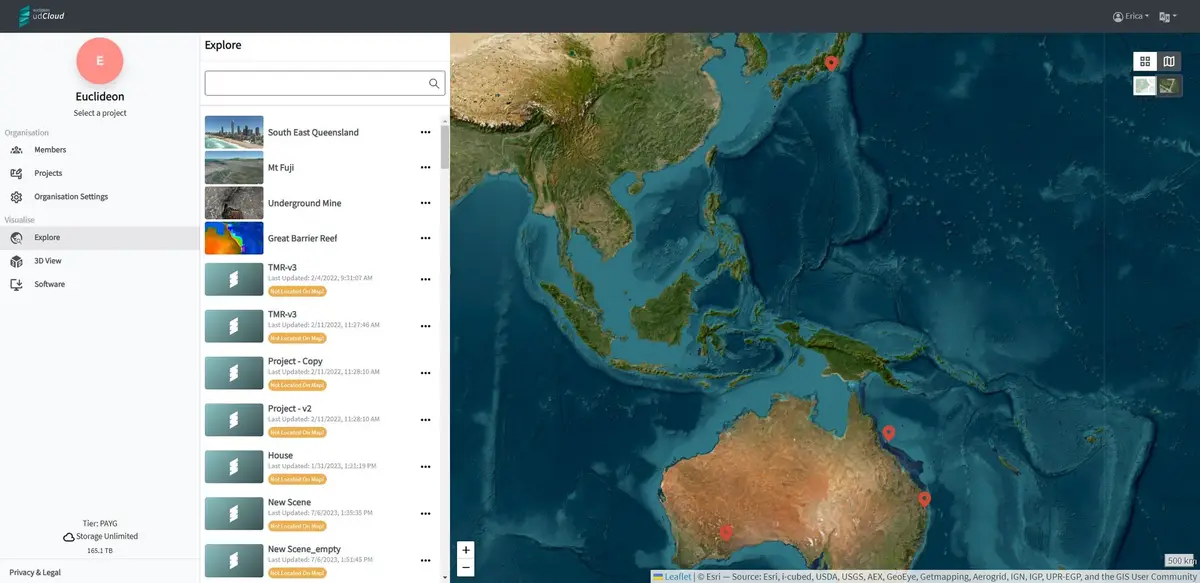
udCloud combines secure cloud storage with udStream's 3D visualization tools, enabling efficient management and collaborative use of 3D geospatial data, including dashboards and analytics for project- and organisation-level data management.
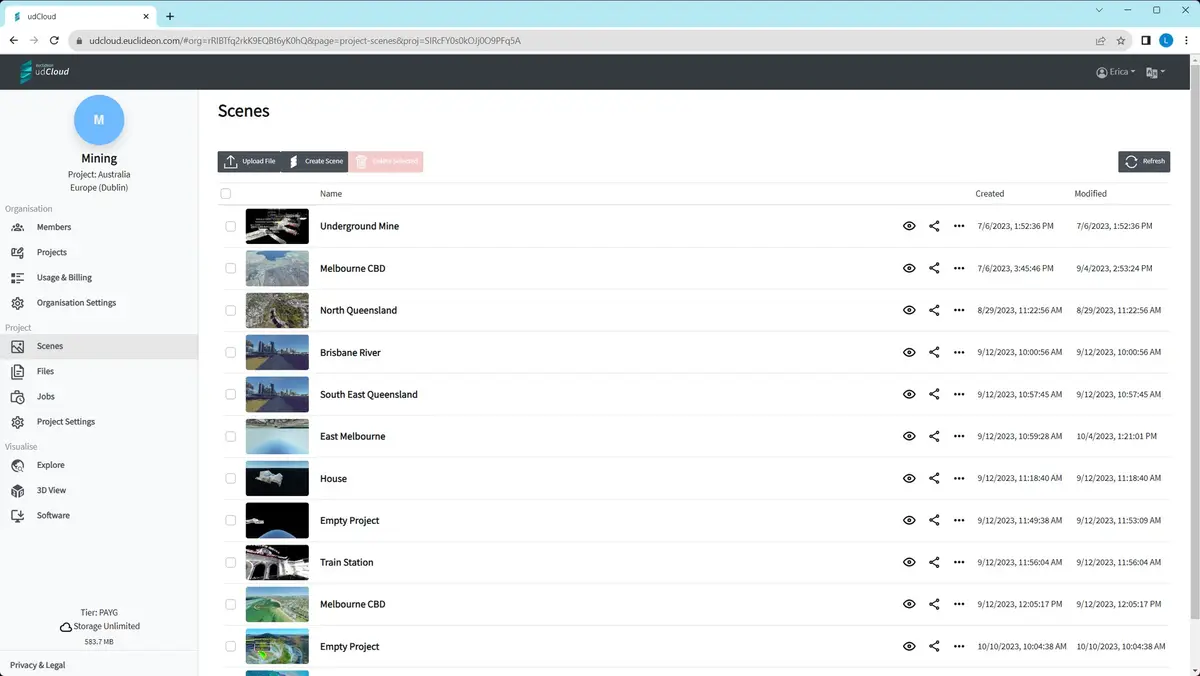
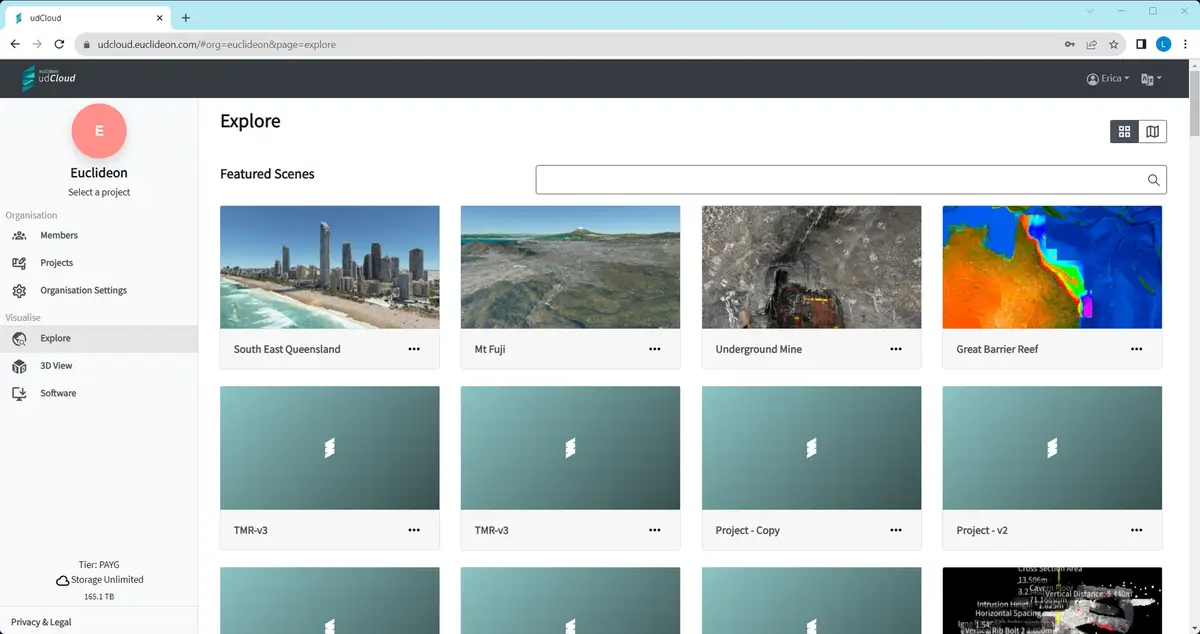
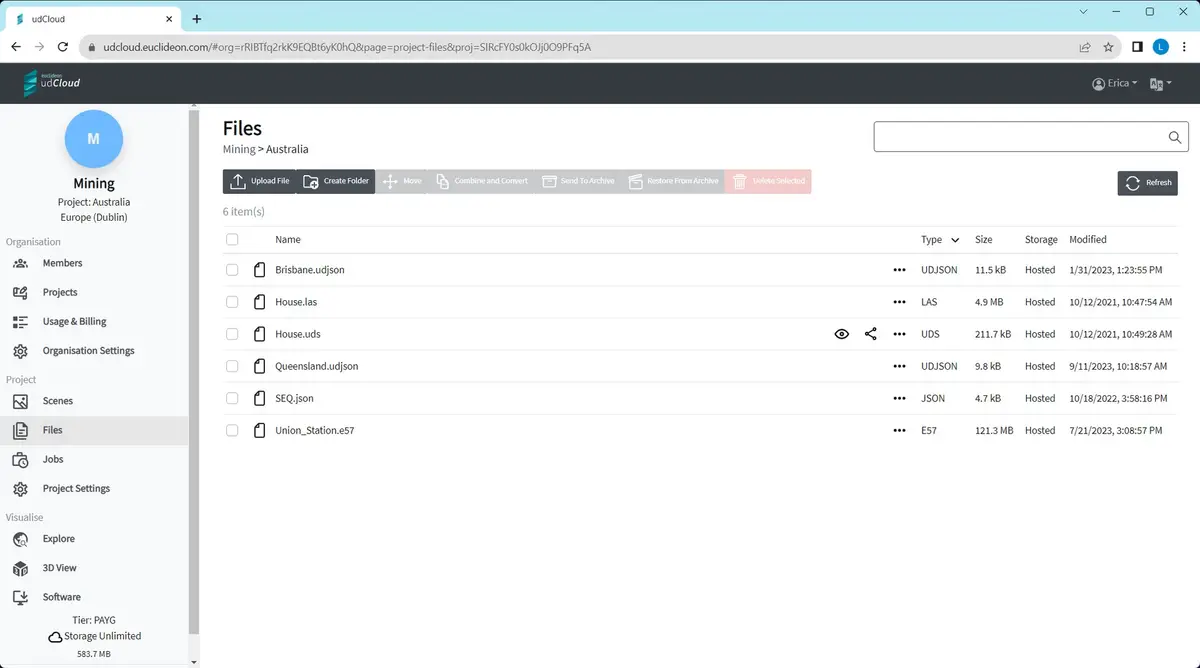
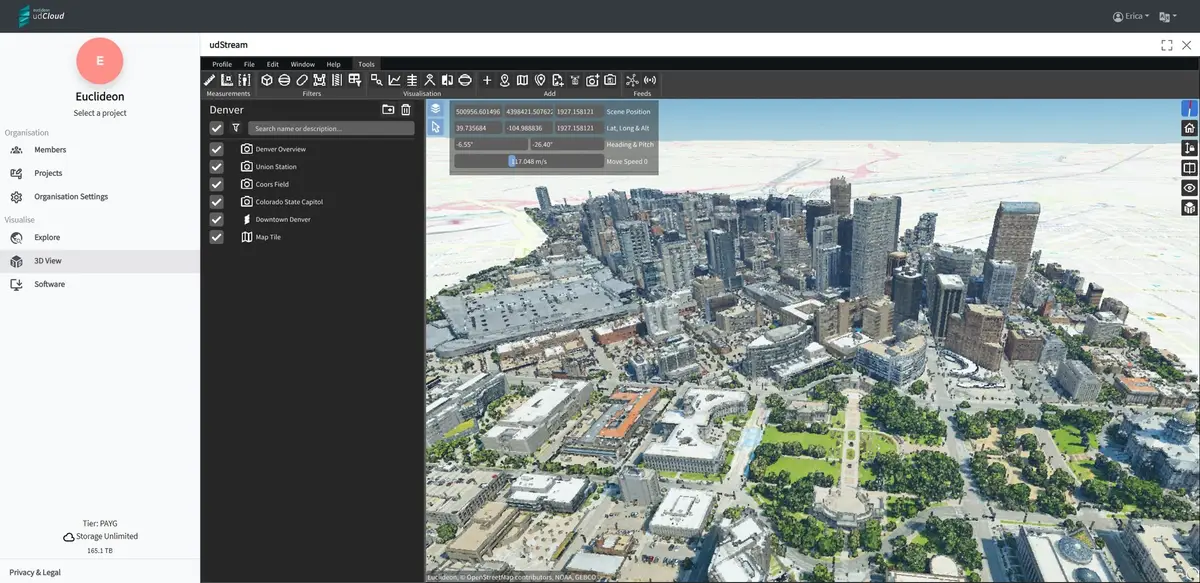
Overview
Goals and Objectives
To design a cloud storage solution that integrates visualization tools and offers an intuitive, standardised user experience — improving on an original interface that had been built without UX input.
Role
Led the UX/UI design for udCloud, redesigning the platform from its original developer-built state through to full-scale interface design, while serving as UX Team Lead.
Duration and Tools Used
12 months; Axure, Figma, Adobe Suite.
Problem Statement, Challenge & Approach
Problem Statement
udCloud's original interface was functional but had been built without UX input, resulting in a non-standard, non-intuitive layout that impacted usability and user satisfaction.
Challenge and Approach
Redefined the platform's experience using user-centred design principles, introducing a left-panel navigation pattern (similar to project/workspace navigation in tools like ClickUp) combined with breadcrumb navigation in the style of Google Drive/OneDrive, alongside a refined permissions and information display system.
Design Process and Outcomes & Impact
Design Process
Conducted user research to understand core needs, followed by iterative design phases including wireframing, prototyping, and testing. Collaborated closely with developers to ensure technical feasibility while maintaining design integrity.
Outcomes & Impact
Significantly improved usability and structure over the original build, establishing a clear, standardised navigation pattern for the platform and reducing user friction.
Design Evolution
Wireframes
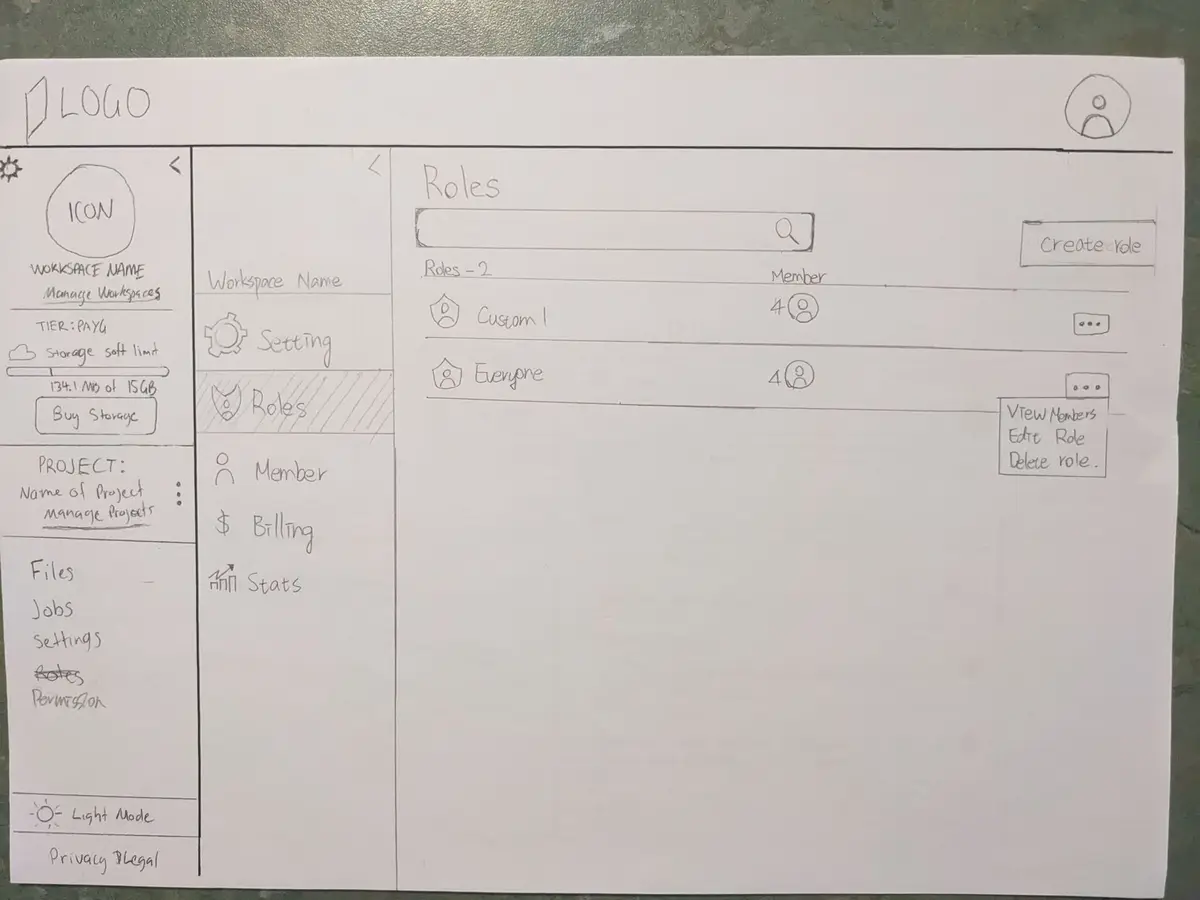
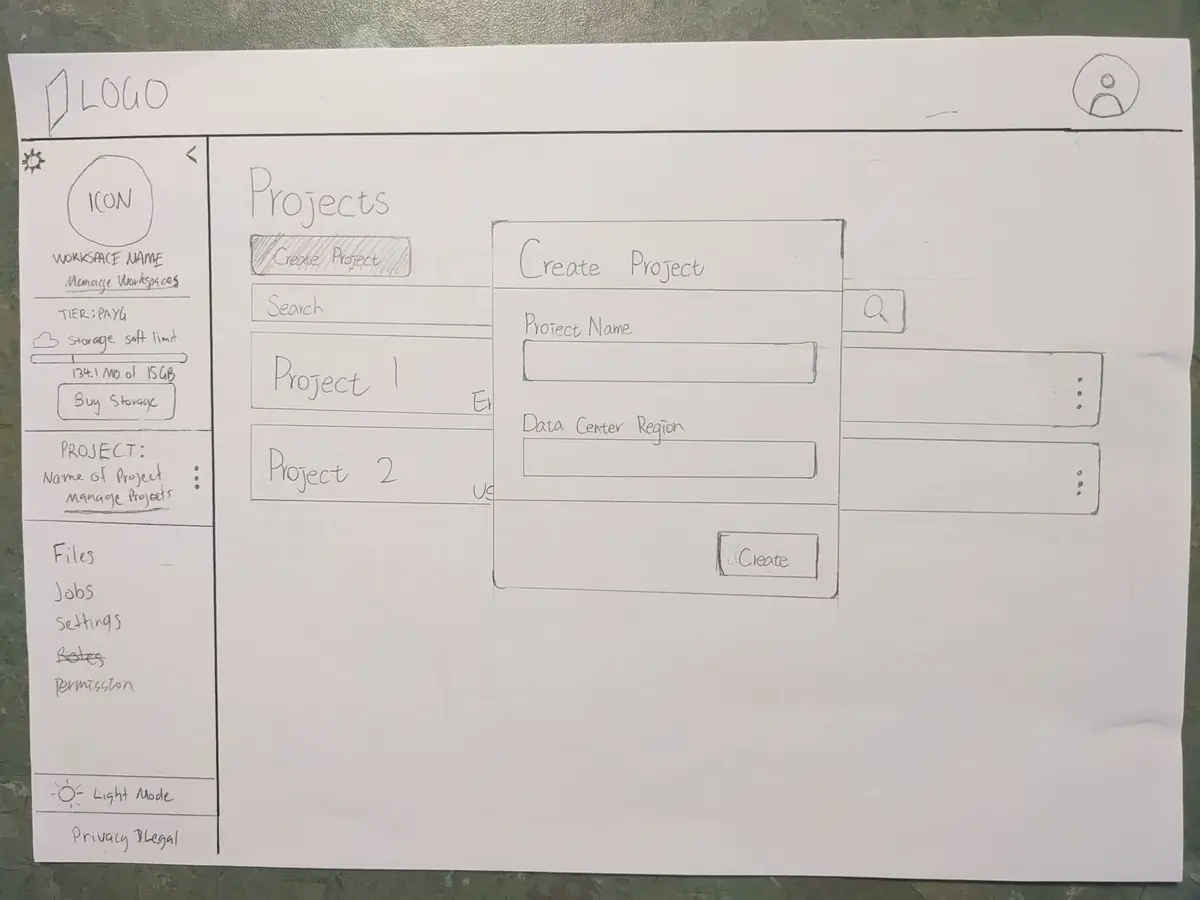
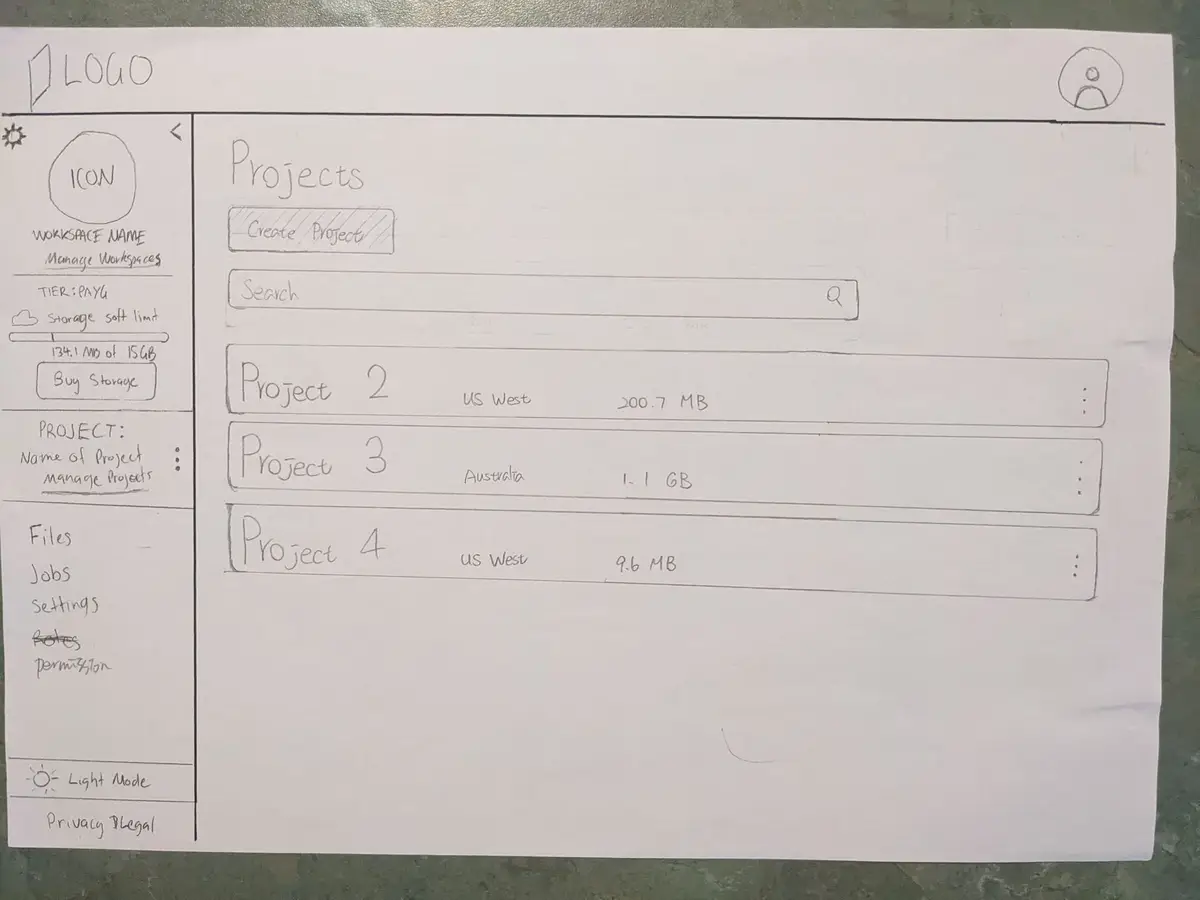
Initial sketches defining udCloud's basic structure and navigation, setting the design direction.
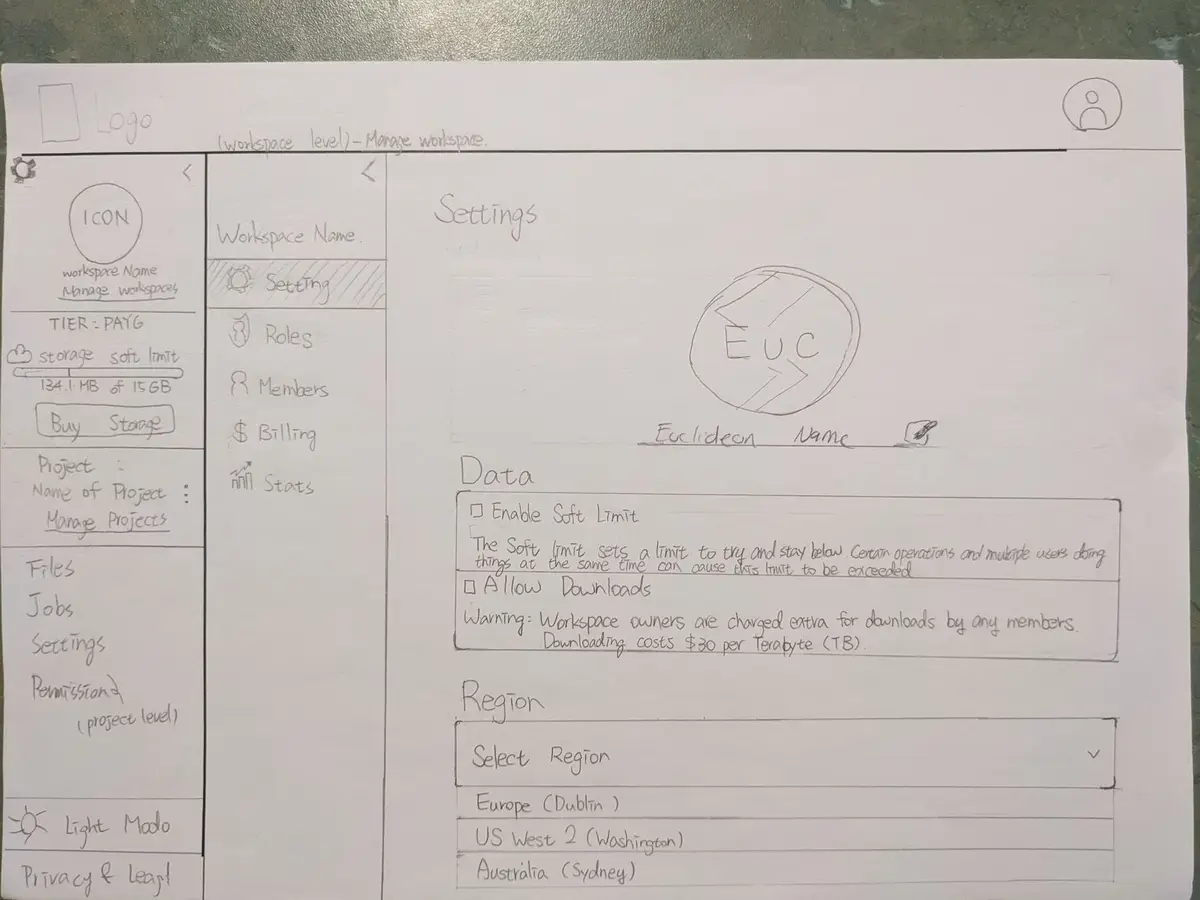
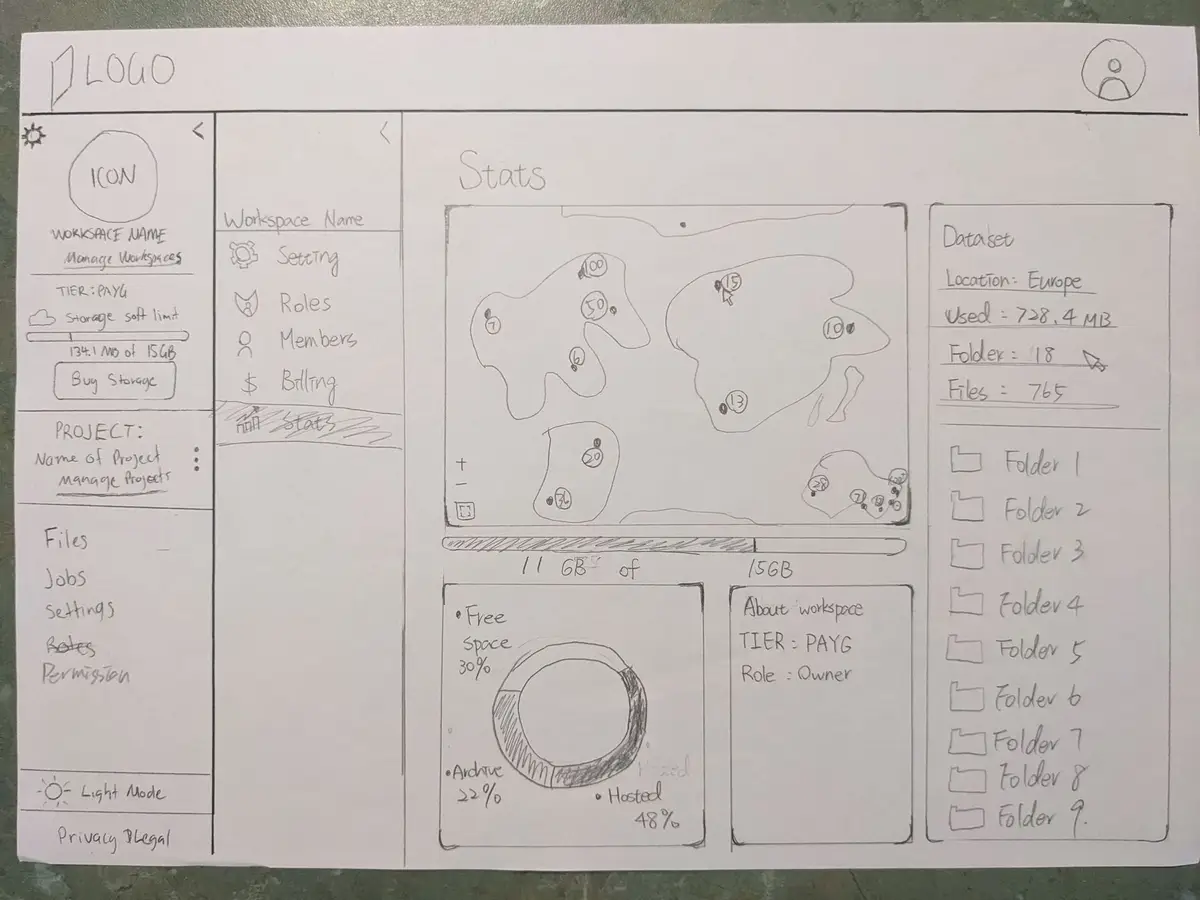
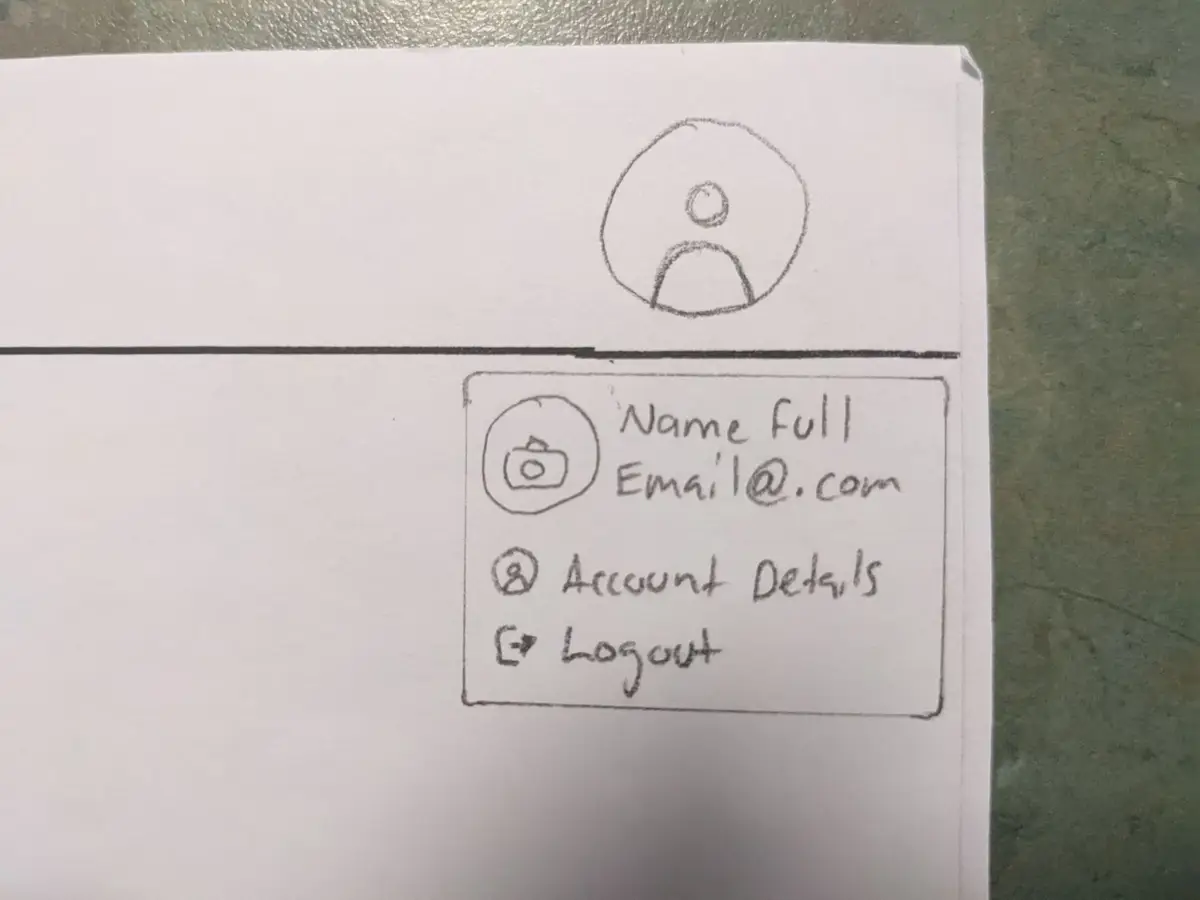
Mockups
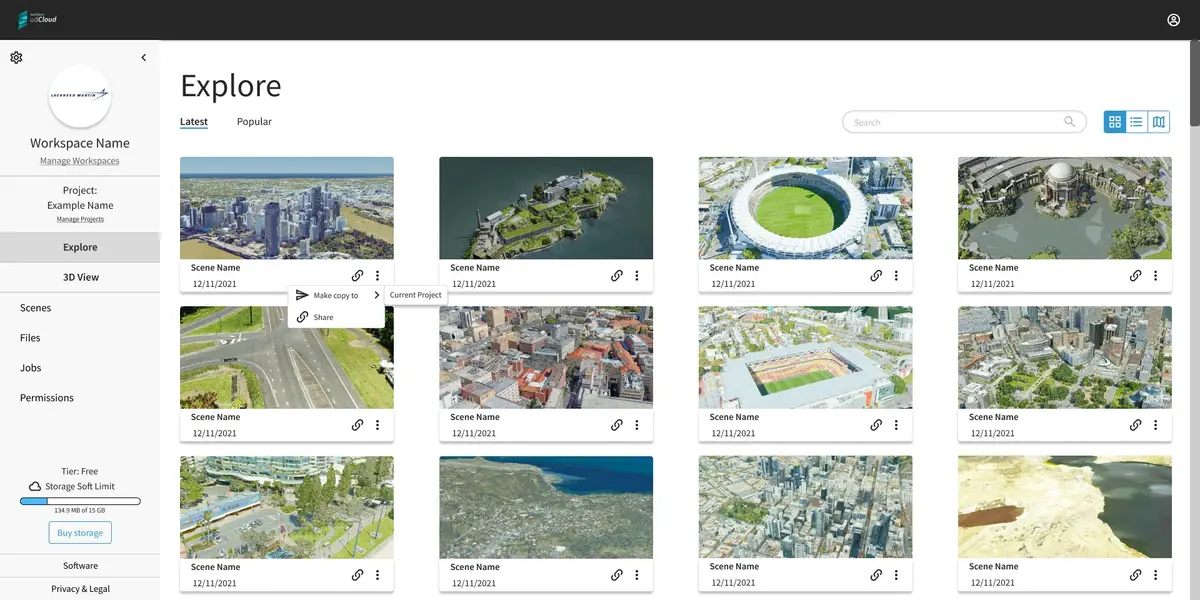
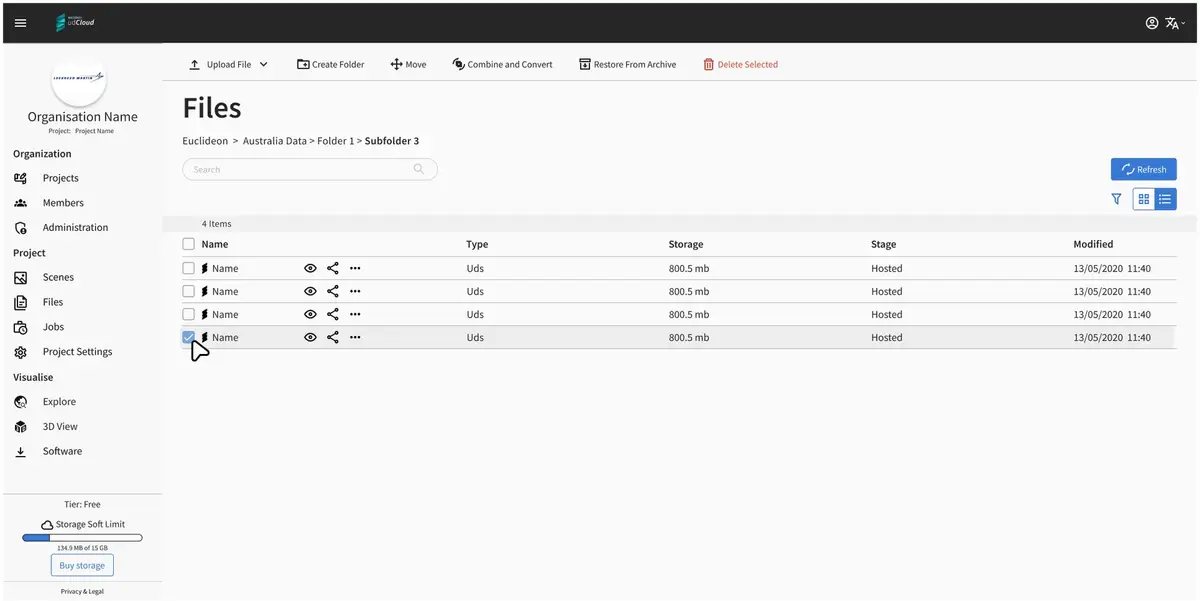
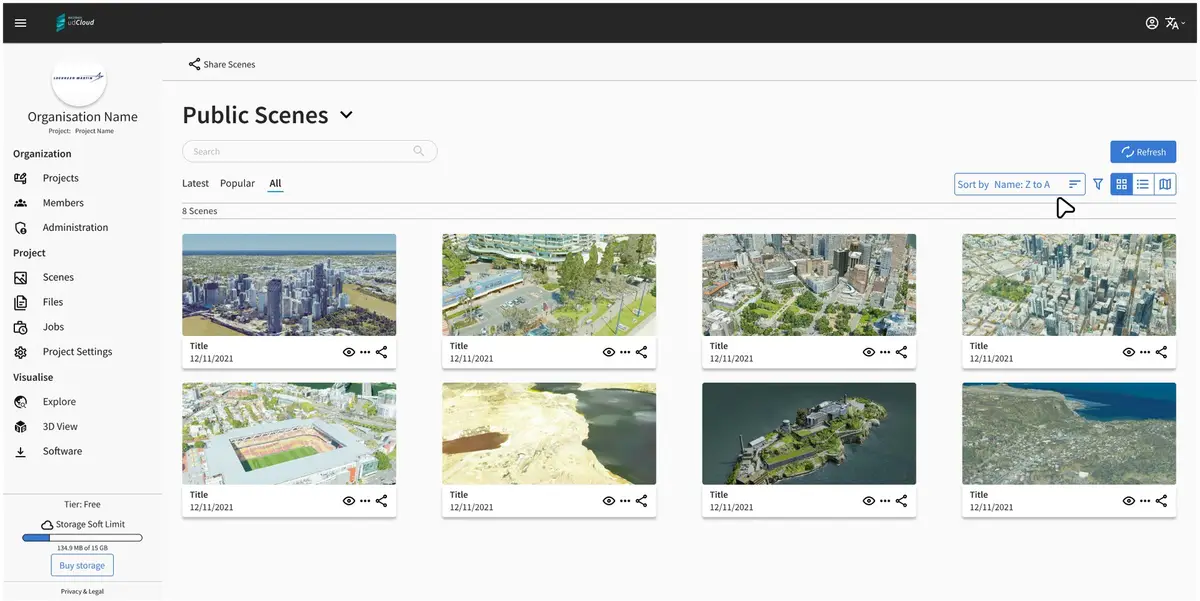
First detailed designs introducing a left-panel dashboard navigation, focusing on functional layout.
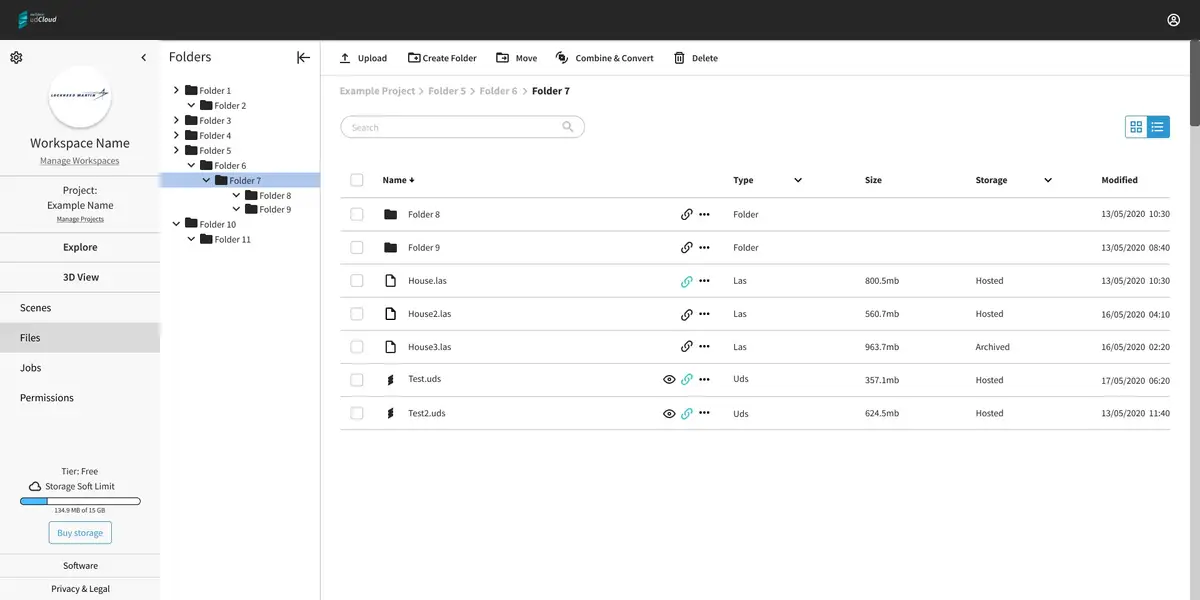
UI Evolution: udCloud Before & After
Before
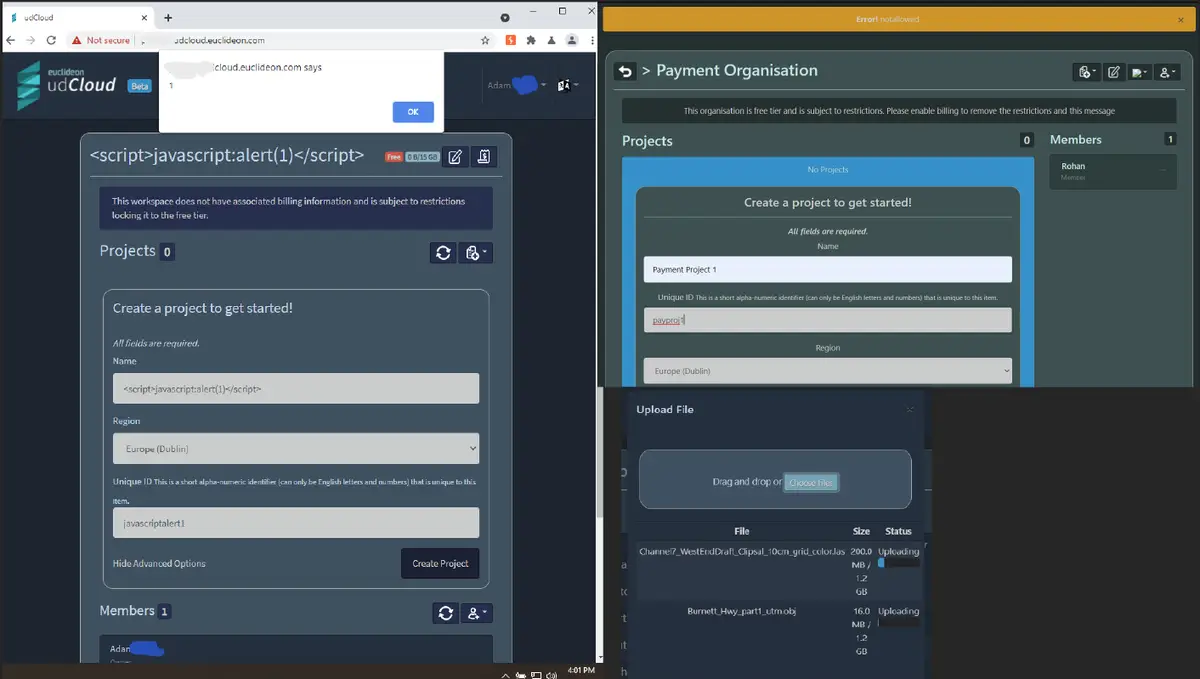
Original udCloud interface highlighting inefficiencies and user experience barriers present in the initial version developed without UX input.
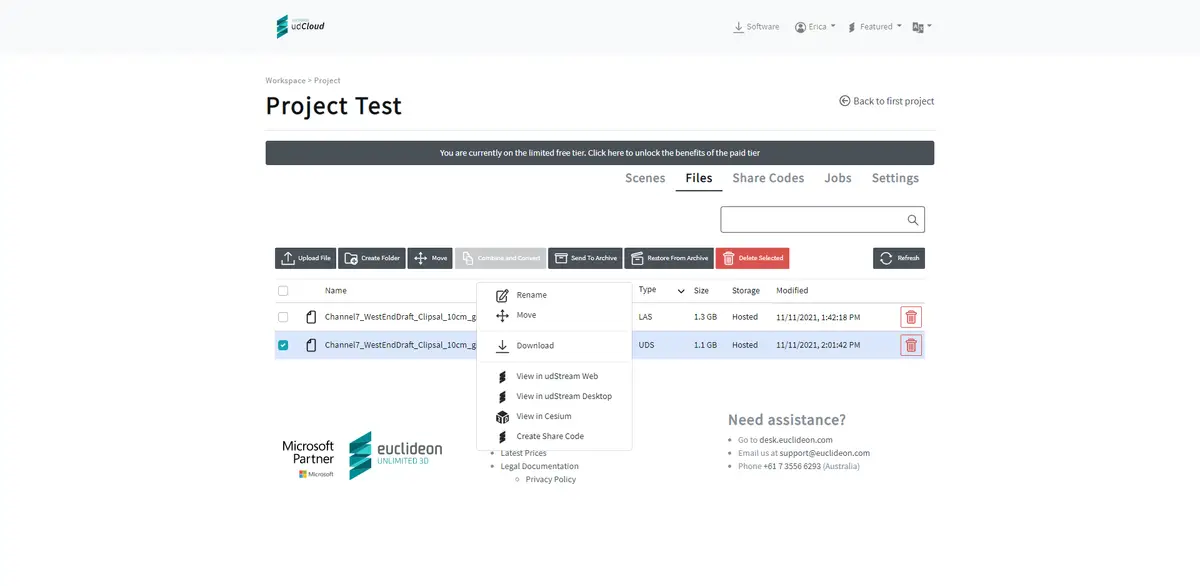
Intermediate Stage
Transitional improvements — an improved colour palette and more coherent layout with a horizontal tab system for navigation.
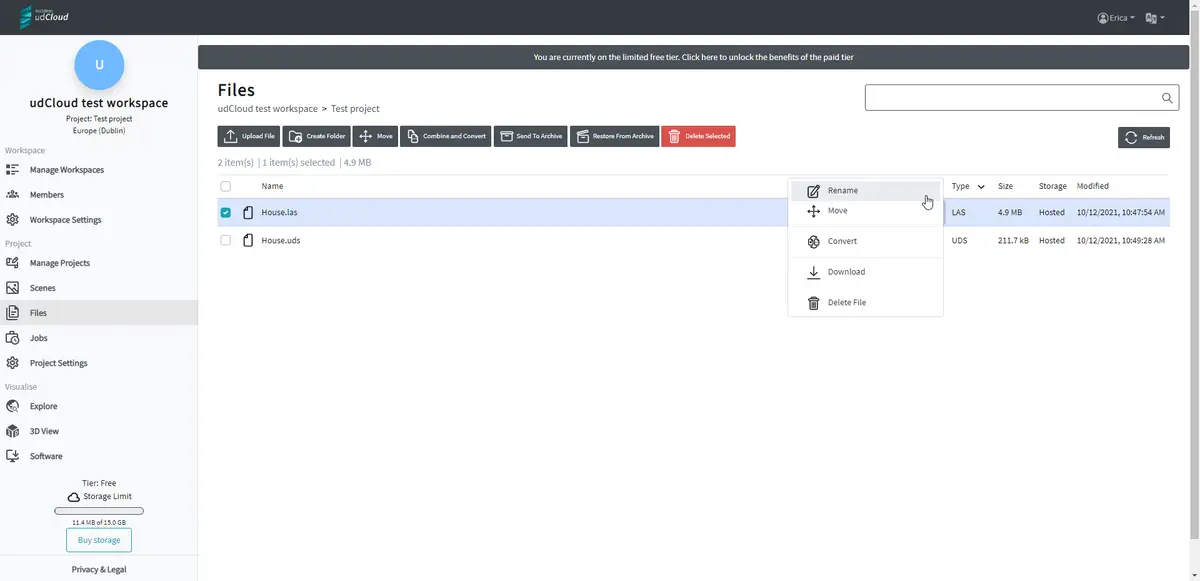
After
Revamped udCloud UI showcasing a user-friendly interface, enhanced functionality, and modern aesthetics achieved after the UX redesign.
UI Evolution: Analysis and Improvements
Before: Key Issues Identified
- Poor colour palette and outdated styling, reflecting a lack of design consideration.
- Overly complex and confusing information display, overwhelming users.
- Non-standard layout and structure, leading to a disjointed user experience.
- Navigation difficulties, with essential features hard to locate, impacting usability significantly.
Intermediate Stage: Transitional Improvements
- Introduced an improved colour palette and a more coherent layout and structure.
- Adopted a horizontal tab system for navigation — while improving file display and sorting, it still relied heavily on breadcrumb navigation.
After: Implemented Solutions
- Revamped the UI with a modern colour palette and custom styling, aligning with contemporary design trends.
- Overhauled layout and structure to adopt industry standards, significantly enhancing user experience.
- Introduced a left-panel navigation for the Dashboard, establishing an intuitive navigation system complemented by breadcrumb navigation for depth.
- Refined information display to focus on relevance and clarity, incorporating an advanced sorting system that caters to user needs effectively.